Fixflow
Brings clarity to maintenance work and supplier delays
So technicians can see real task progress and part delivery status instead of guessing.
- UX Research, UX/UI Design, Maintenance Management
- Solo
- Mobile app
- 2025-2026
- Concept, tested
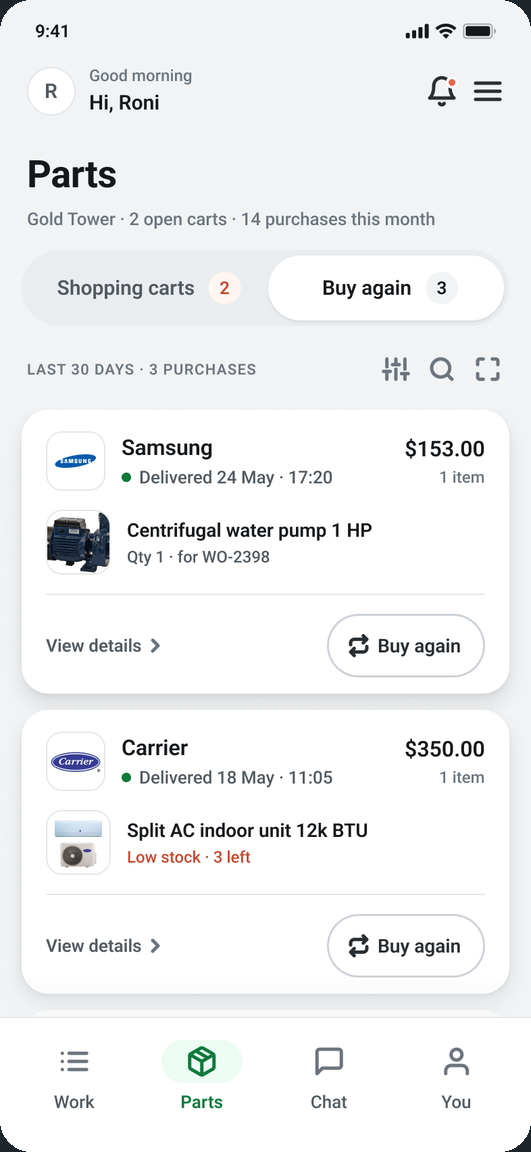
Workers can’t plan or complete tasks on time, but they’re still held responsible for the delays.
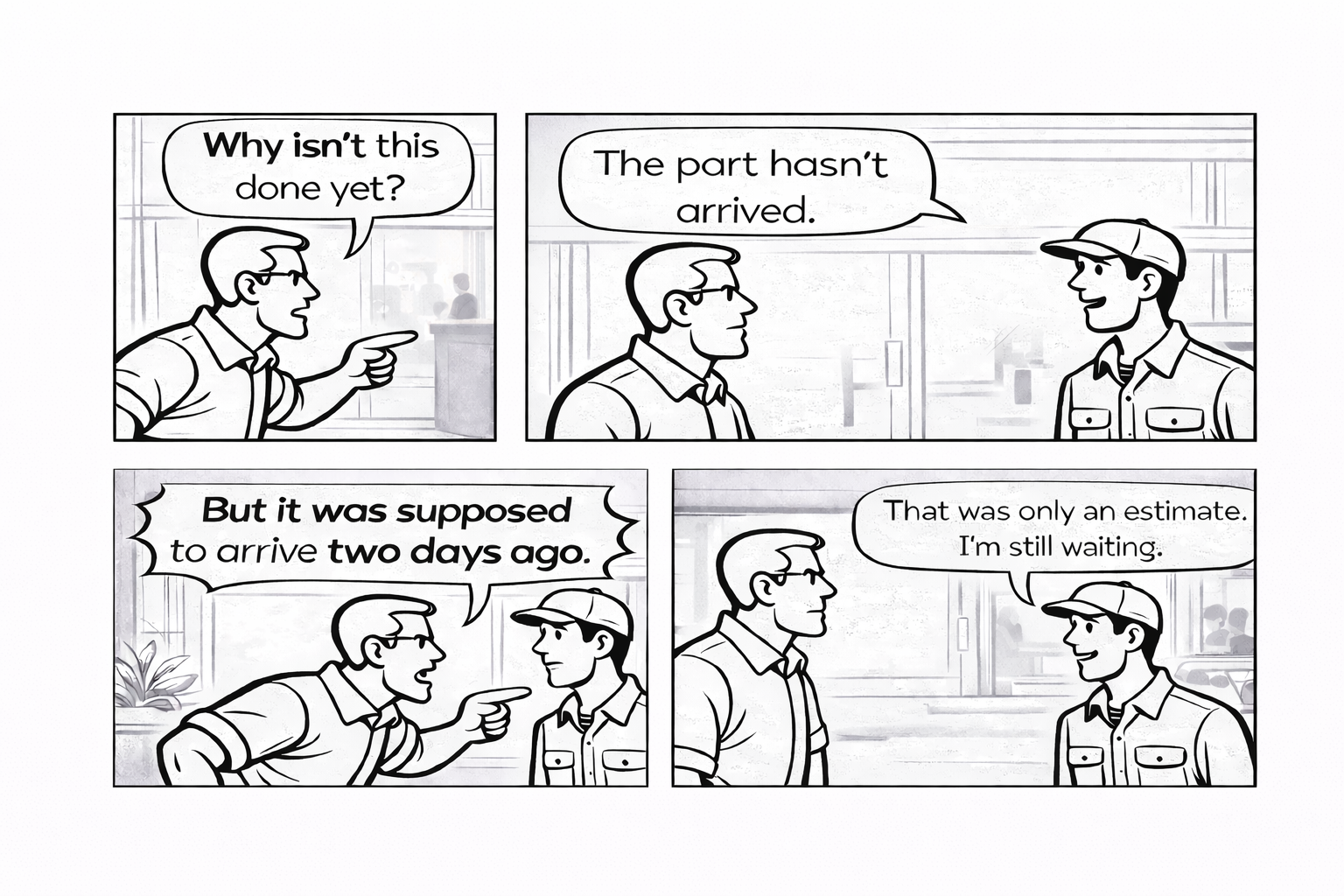
I spent a full week alongside a maintenance technician in an office building to understand their day-to-day challenges.
What became visible during observation
- Tasks are often paused due to missing parts or unclear delivery times.
- 30-40% of the day wasted waitingTasks are often paused due to missing parts or unclear delivery times.
- Progress stalls without clear visibility into external dependencies.
- Delays blamed on workersProgress stalls without clear visibility into external dependencies.
- Information is spread across calls, messages, and informal channels.
- Critical updates scattered everywhereInformation is spread across calls, messages, and informal channels.
Insights from interviews with six maintenance professionals.
Key signals from interviews:
- Want real-time tasks and delivery tracking
- Want real‑time tasks and delivery tracking
- Experience delays on a weekly basis
- Experience delays on a weekly basis
- Wait for approvals before ordering parts
- Wait for approvals before ordering parts
When delivery timelines lack clarity, work stalls and resulting delays are easily misinterpreted.

Roni cohen
38-year-old maintenance technician working across multiple facilities.
“When something is delayed, it looks like my fault, even when I’m just waiting for a delivery.”
- No real-time task status updates
- Tasks not managed in one place
- Unclear supplier delivery timelines
- Shared visibility around every task.
- Faster access to required parts
- Clear delivery timelines
- Login
- Viewing open tasksReceiving a task from the manager
- Viewing the task detailsLocation, issue description, and timeline
- Heading out to perform the work on-site
- Actual task executionThe worker performs the required job on-site
- Documentation and update in the appAt completion: uploads a photo, updates status/notes, and notifies the manager
- Task completedThe task is marked as completed and added to the daily activity report
- Finds that a part needed for the fix is missing
- Enters “Request a Part” and submits the form
- Order confirmation
- Real-time tracking
- Delivery is sent directly to Roni
- Completes the job and updates the status
- Completing the jobreports in the app by uploading a photo, marking “Done,” and updating the status
Fixflow turns fragmented updates into shared visibility, allowing teams to see exactly where work is blocked and why.
This makes responsibility clear and reduces misplaced blame.
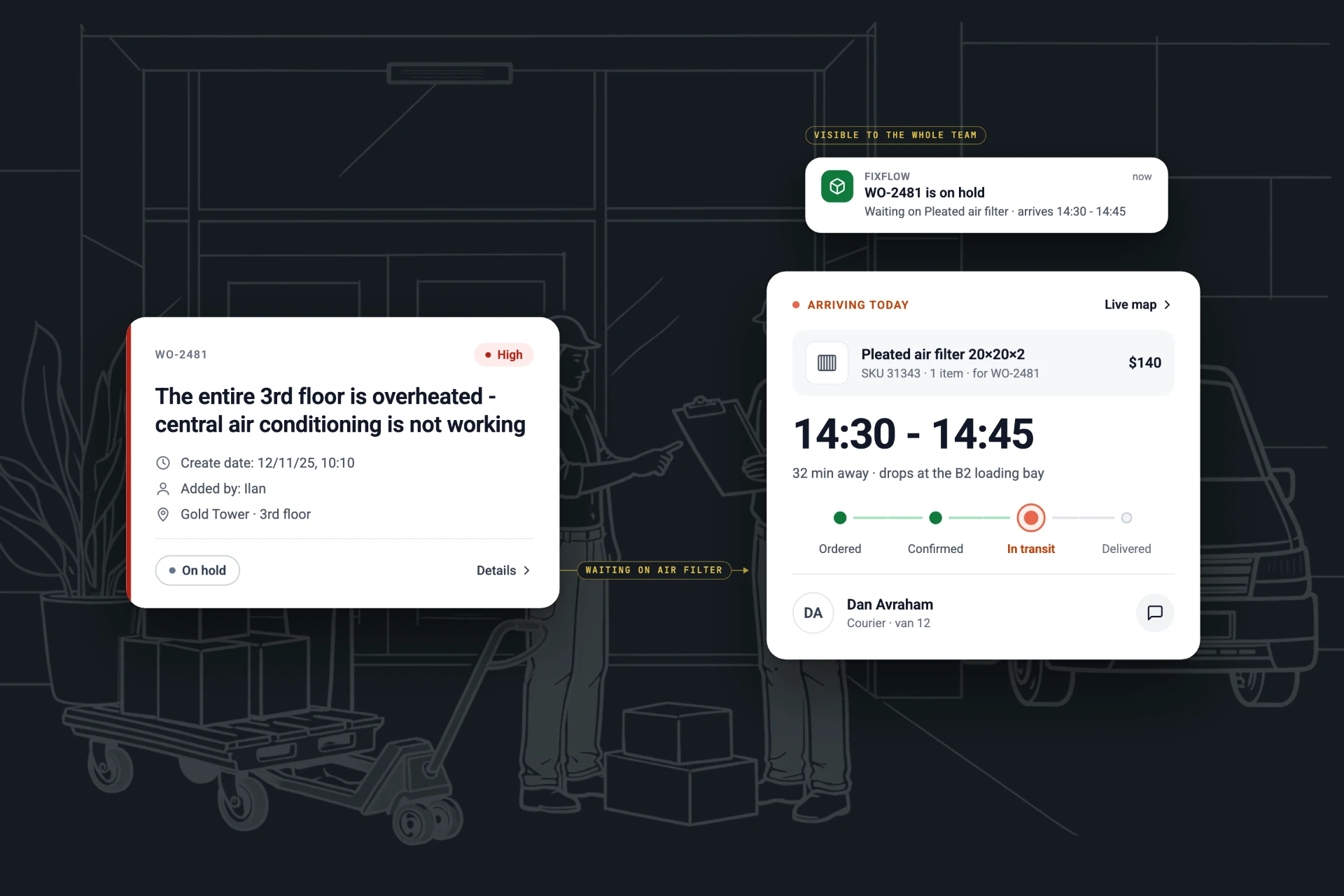
A technician opens Fixflow on a roof or in a stairwell, not at a desk.
Two decisions came straight from where and how the work happens.
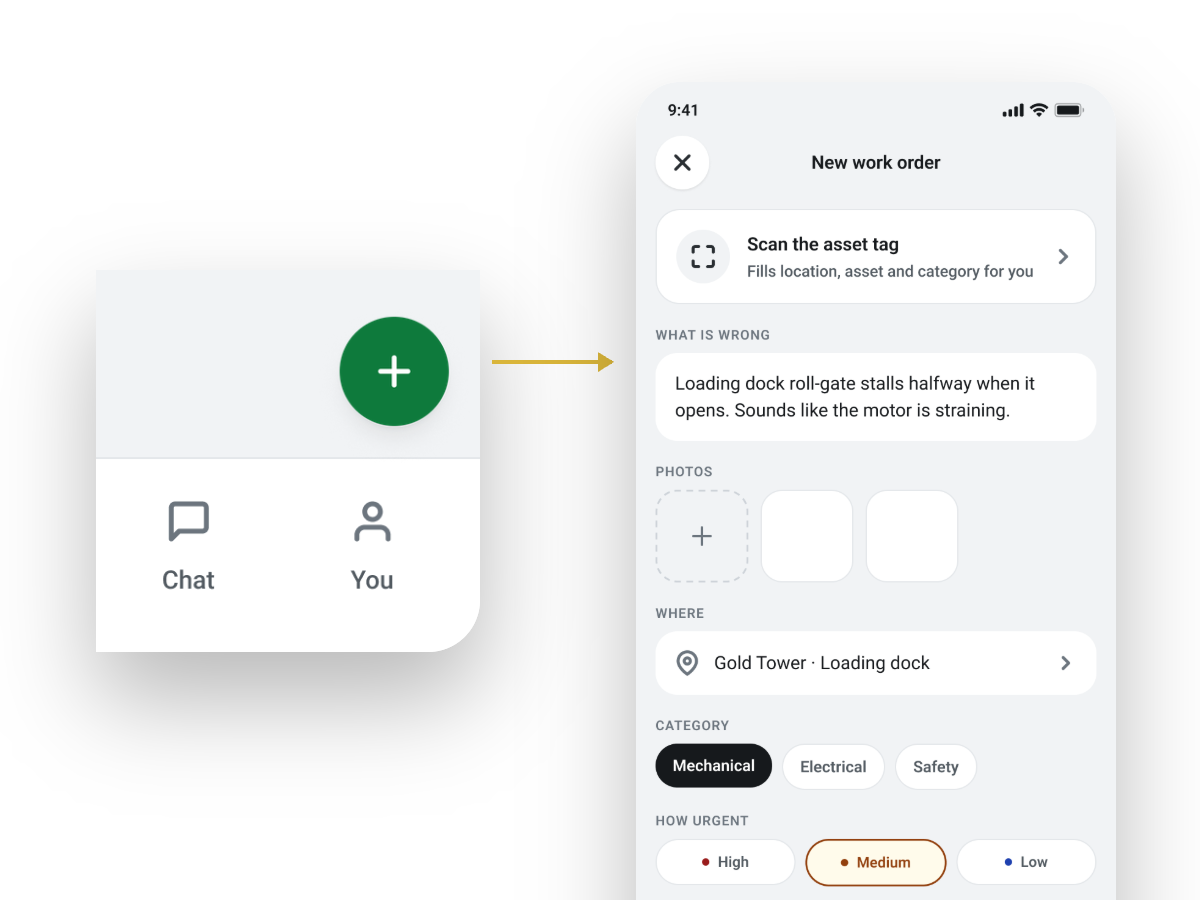
One large button for reporting a fault
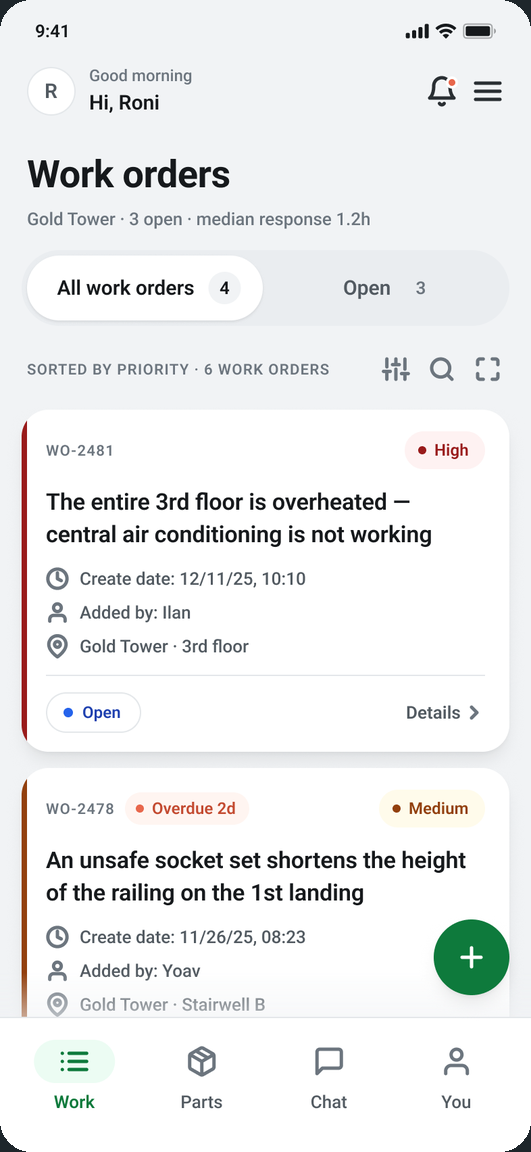
The technician I shadowed often has to open a new work order in the middle of a job, annoyed, in the heat or in the rain. In Visitt, the app he used, that meant finding a small button. In Fixflow a large + on the first screen opens a new work order, within reach of the thumb, for technicians, managers and anyone else on the team.
Colour that holds up in any light
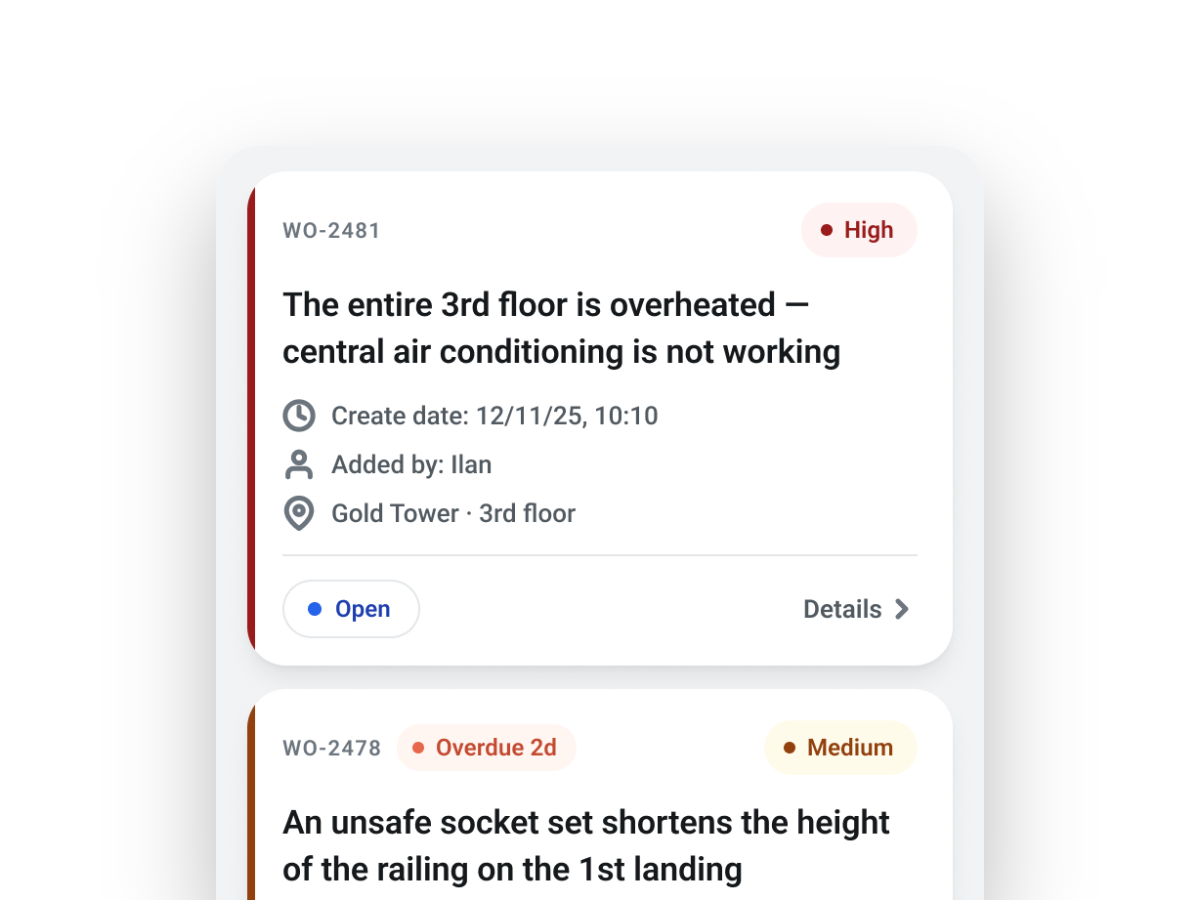
Work orders are read in direct sun, under clouds and inside the building. So each card shows its priority three ways: a coloured edge, a label and a dot. Nothing depends on colour alone, and the white cards stand clear of the grey screen.
Usability testing moved work orders to the first screen.
In my first version, work orders sat one step deeper. One round of testing with the technician changed what the app opens on.
A usability test with the technician, on the first version.
Work orders are the reason he opens the app, and he opens it under stress. One extra step was one too many.
Fixflow now opens straight on the work order list, with the + one thumb away.
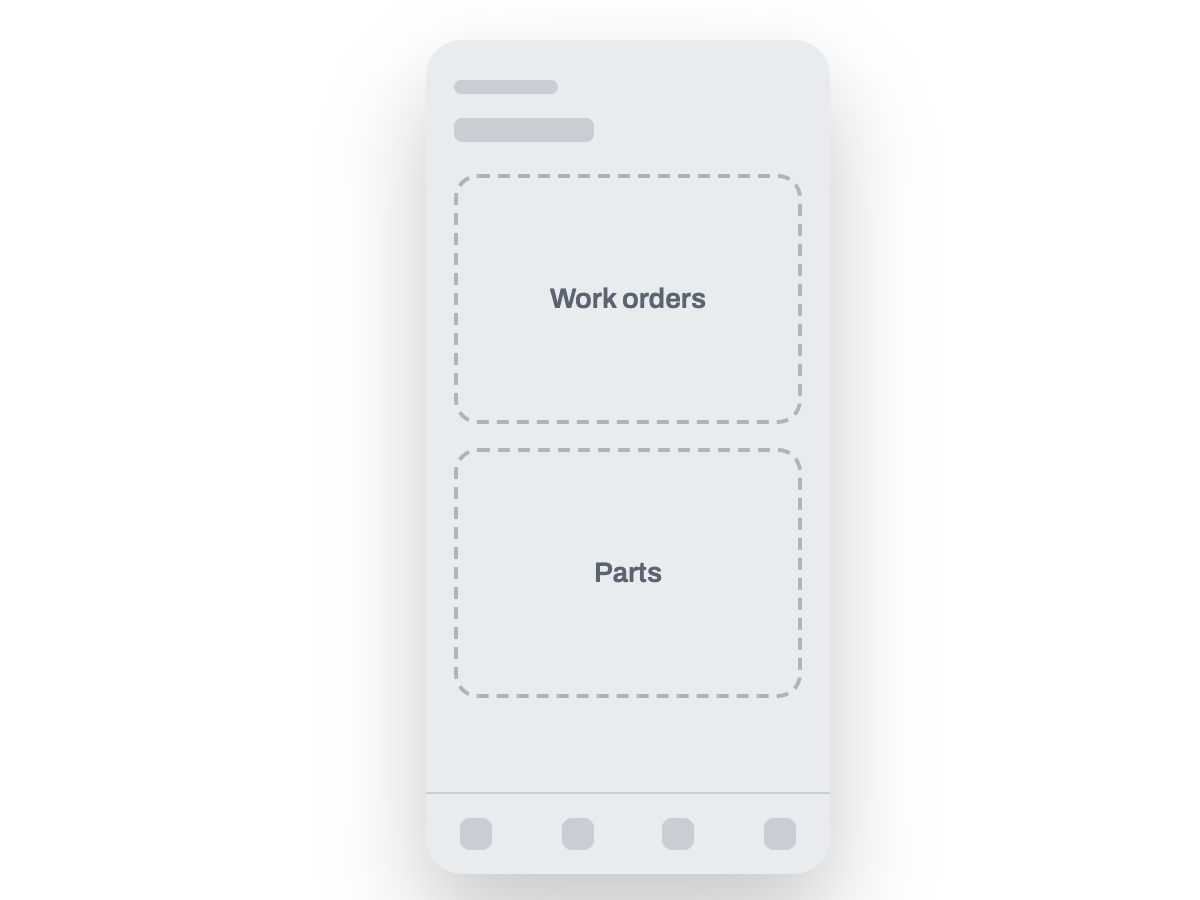
The app opened on two doors. The list he came for was one more step away.
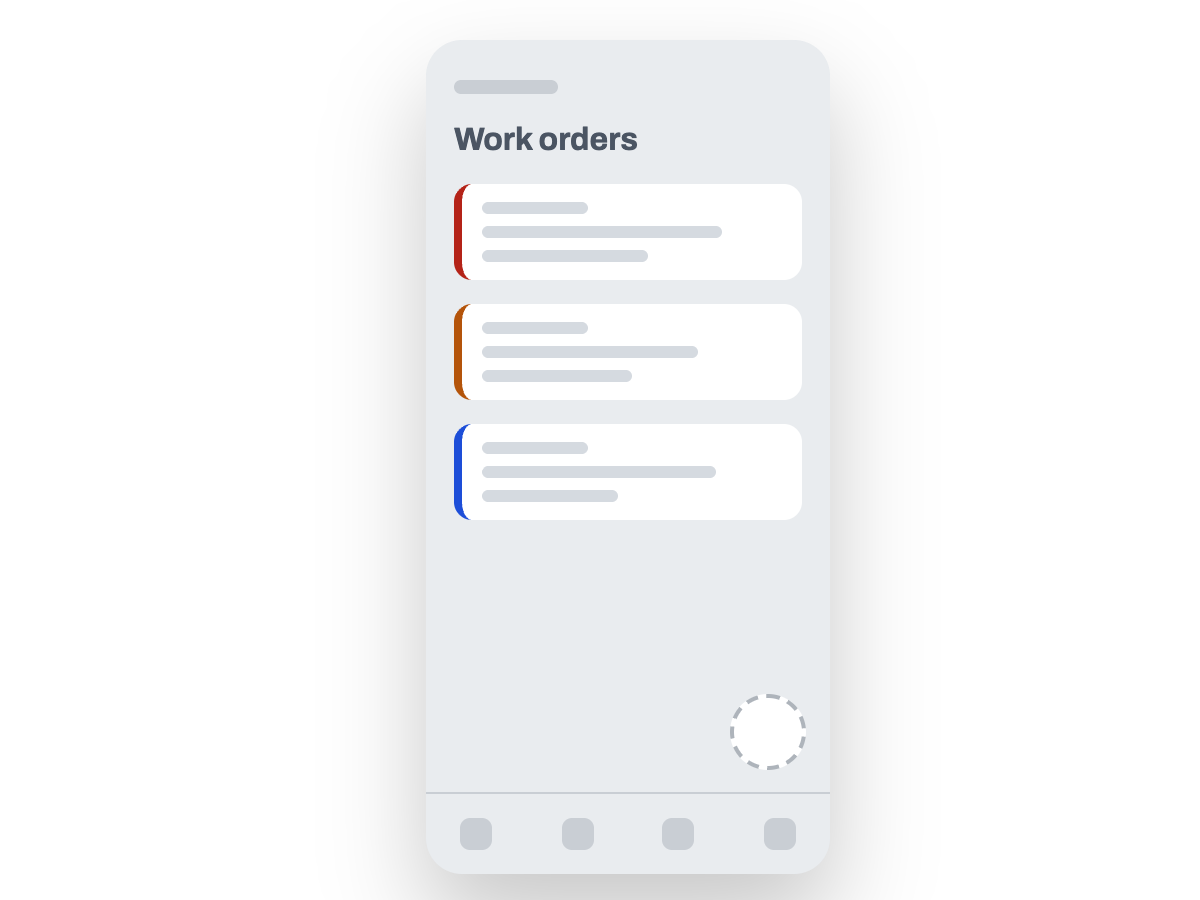
The work order list is the first thing Fixflow shows. Nothing to search through.
Maintenance work happens in dynamic, high-pressure environments, not in front of a desk.
The design prioritizes clear hierarchy and contextual information, so technicians can understand task status, part availability, and delivery timing at a glance.
Immediate task clarity
The first screen shows exactly what matters right now. Open work orders, priorities, and statuses are visible instantly so technicians can act, not search.
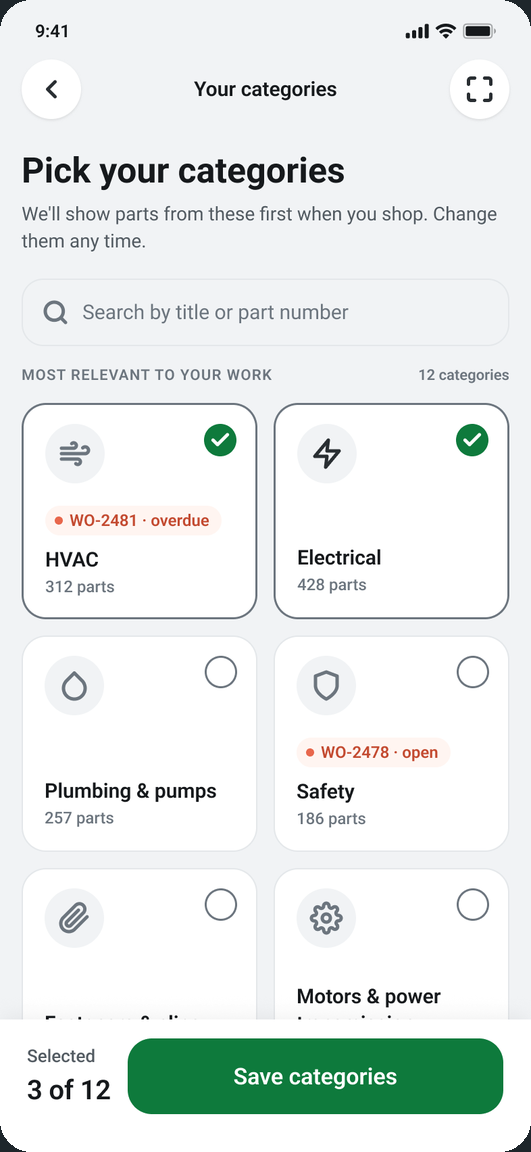
Order parts from within the task
Technicians can request and track required parts without leaving the work order.
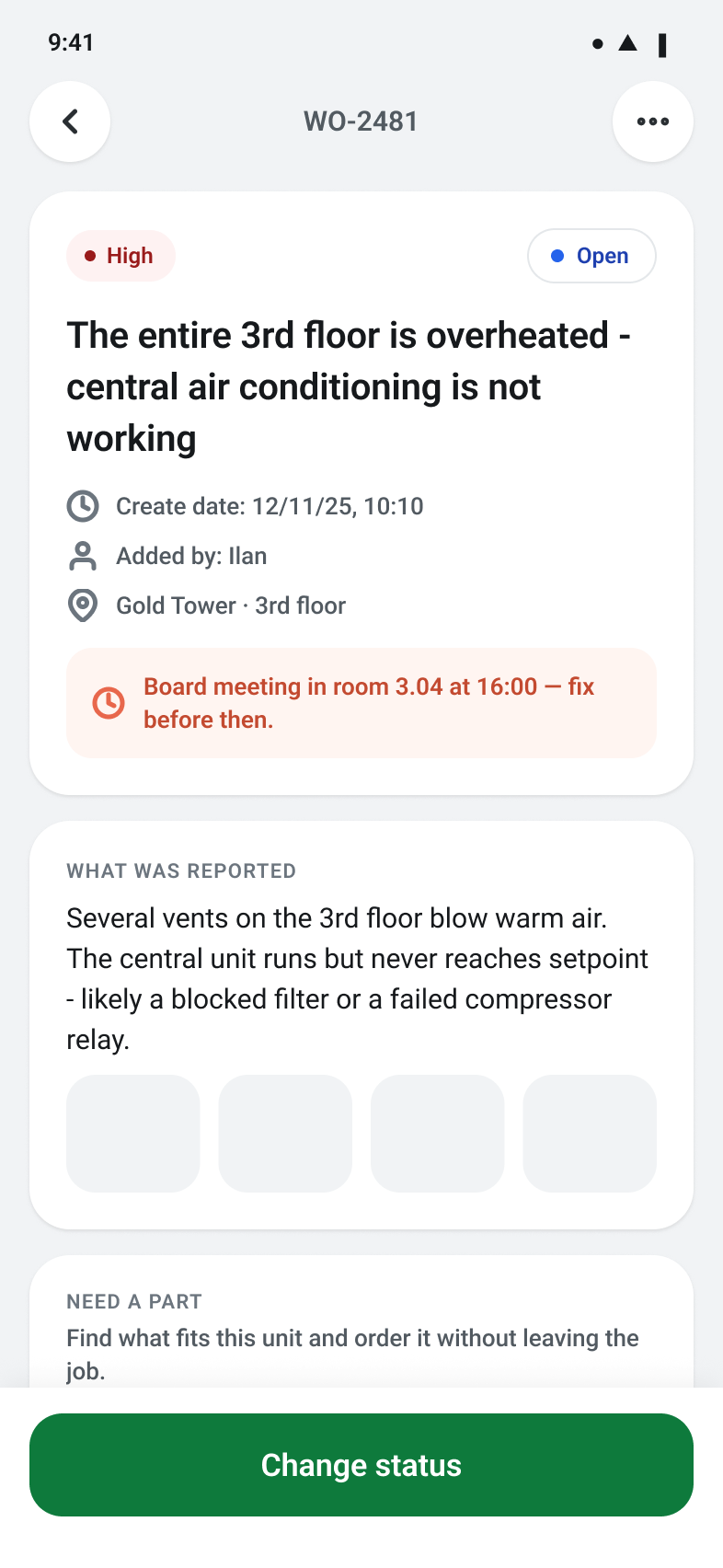
Status update in place
Technicians update the task status from within the task itself.
Scan to identify
Parts can be identified by scanning the code directly on the equipment.
Delivery tracking
Delivery time and status are updated automatically after the order is placed.
Arrival notification
Delivery completion is communicated through an in-app notification.
Immediate task clarity
The first screen shows exactly what matters right now. Open work orders, priorities, and statuses are visible instantly so technicians can act, not search.